
Technology · Mercado Libre
27-inch monitor
More screen space for code, documents, and multitasking.
See price on Mercado LivreView product: 27-inch monitor (Mercado Libre)Price and availability can change on Mercado Livre.
Format, minify, and validate JSON with a clear error message.
Format, minify, and validate JSON with a clear error message. Simple tools do not require an account. Files are sent to a server only when the tool explains the transfer and you confirm it.
The formatter parses JSON, reports syntax errors and writes formatted or compact output. It does not validate against a JSON Schema or check an API contract.
JSON requires quoted property names and does not allow comments, trailing commas or undefined. A JavaScript object literal is not necessarily JSON.
Formatting should preserve values for ordinary JSON data, but JavaScript numbers have finite precision. Very large integer identifiers should be represented as strings when exact digits matter. Do not use the tool to round-trip financial records with precision requirements you have not checked.
A valid document can still contain an incorrect field, unit or date. Confirm the schema separately. Avoid live secrets even with local processing, and keep the source file before compacting it.
No. Parsing checks syntax; validate the expected fields and values against your schema or API contract.
Some links on this page are affiliate links. We may earn a commission from a purchase at no extra cost to you.
Technology · Mercado Libre
More screen space for code, documents, and multitasking.
See price on Mercado LivreView product: 27-inch monitor (Mercado Libre)Price and availability can change on Mercado Livre.

Technology · Mercado Libre
Compare size, adjustment, and fit with your hand and routine.
See price on Mercado LivreView product: Ergonomic vertical mouse (Mercado Libre)Price and availability can change on Mercado Livre.
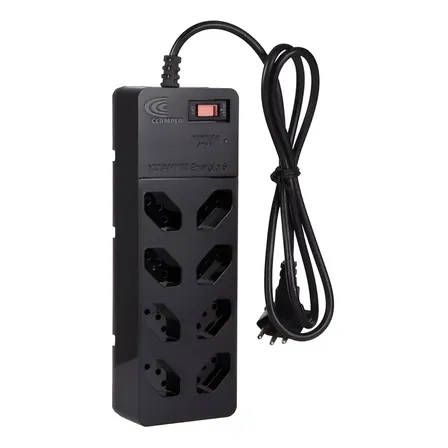
Home office · Mercado Libre
A practical way to connect devices and organize desk power.
See price on Mercado LivreView product: Surge-protected power strip (Mercado Libre)Price and availability can change on Mercado Livre.