
Technology · Mercado Libre
27-inch monitor
More screen space for code, documents, and multitasking.
See price on Mercado LivreView product: 27-inch monitor (Mercado Libre)Price and availability can change on Mercado Livre.
Convert CSV to JSON or JSON arrays to CSV with common headers and delimiters. Free, with all processing in your browser.
Convert CSV to JSON or JSON arrays to CSV with common headers and delimiters. Free, with all processing in your browser. Simple tools do not require an account. Files are sent to a server only when the tool explains the transfer and you confirm it.
Convert CSV into a JSON list or export JSON objects as CSV. Processing happens in your browser, with comma, semicolon, tab, and vertical bar delimiters.
When CSV has a header, each row becomes an object and each column name becomes a key. Without a header, the result is an array of values so the tool does not invent field names. Imported values stay as text; dates, decimal separators, and leading zeroes are not reinterpreted. Rows shorter than the header are padded with empty cells; wider rows are rejected.
For JSON to CSV, columns follow the order in which keys first appear. Missing object fields become empty cells; JSON objects must use simple cells (text, finite number, boolean, or null), and row arrays keep each row’s own width. Quotes and delimiters inside a cell are escaped to preserve the format.
Input is limited to 1 MiB, 10,000 total rows including the header, 100 columns, 1,000,000 cells, and 262,144 characters per cell. LF and CRLF line endings are accepted; standalone CR is rejected. The converter does not validate a data schema or remove formulas. Before opening untrusted CSV in a spreadsheet, review values beginning with =, +, - or @ and import them as text when needed.
No. CSV values stay as text; check separators, dates, and leading zeroes in the application that will use the result.
A worked example
The example columns are name, amount and note, in first-seen order. Luis’s amount is empty; the note a,b is quoted so its comma does not create another column. JSON cells must be simple values; nested objects and arrays are rejected.
The separator is a comma and decimals use a dot; adjust spreadsheet import if it expects a semicolon. CSV quoting does not prevent formula execution. Untrusted values starting with =, +, - or @ require review and import as text; the converter preserves data and does not sanitize it.
Further reference: OWASP — CSV Injection
Some links on this page are affiliate links. We may earn a commission from a purchase at no extra cost to you.
Technology · Mercado Libre
More screen space for code, documents, and multitasking.
See price on Mercado LivreView product: 27-inch monitor (Mercado Libre)Price and availability can change on Mercado Livre.
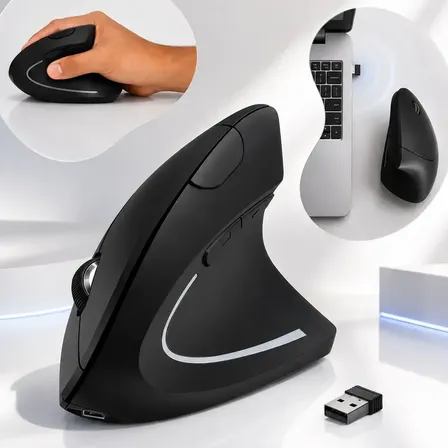
Technology · Mercado Libre
Compare size, adjustment, and fit with your hand and routine.
See price on Mercado LivreView product: Ergonomic vertical mouse (Mercado Libre)Price and availability can change on Mercado Livre.
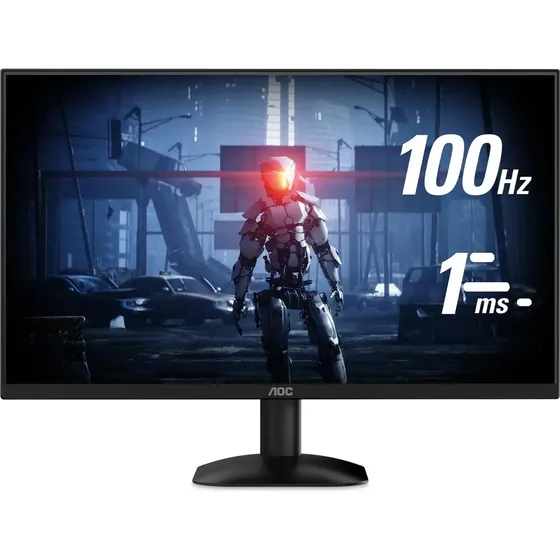
Technology · Mercado Libre
An option for a workspace. Compare dimensions, adjustments, and fit for your routine.
See price on Mercado LivreView product: AOC 24-inch 100 Hz monitor (Mercado Libre)Price and availability can change on Mercado Livre.