
Technology · Mercado Libre
27-inch monitor
More screen space for code, documents, and multitasking.
See price on Mercado LivreView product: 27-inch monitor (Mercado Libre)Price and availability can change on Mercado Livre.
Encode or decode text, including accented characters and emoji.
Encode or decode text, including accented characters and emoji. Simple tools do not require an account. Files are sent to a server only when the tool explains the transfer and you confirm it.
Base64 is an encoding, not encryption. Do not use it to protect confidential information.
Base64 represents bytes using a printable alphabet. This tool converts UTF-8 text, including accents and emoji, rather than uploading arbitrary binary files.
Encoding “hello” produces aGVsbG8=. Decoding restores the original text without a secret key. Base64 cannot keep credentials private, provide integrity or replace encryption.
Three input bytes become four output characters, so large inputs grow by roughly one third before padding and any surrounding format. Tiny inputs can have proportionally greater overhead. Avoid embedding large files when a separate download can be cached.
Standard Base64 and Base64url use different characters for two alphabet positions. A JWT uses Base64url; use the JWT decoder for that format. If decoding reports an error, confirm the alphabet and whether the source represents text or binary.
Yes. Base64 is encoding, not encryption, so anyone with the text can decode it.
Some links on this page are affiliate links. We may earn a commission from a purchase at no extra cost to you.
Technology · Mercado Libre
More screen space for code, documents, and multitasking.
See price on Mercado LivreView product: 27-inch monitor (Mercado Libre)Price and availability can change on Mercado Livre.
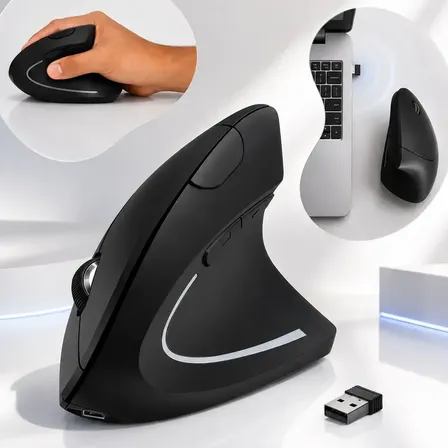
Technology · Mercado Libre
Compare size, adjustment, and fit with your hand and routine.
See price on Mercado LivreView product: Ergonomic vertical mouse (Mercado Libre)Price and availability can change on Mercado Livre.
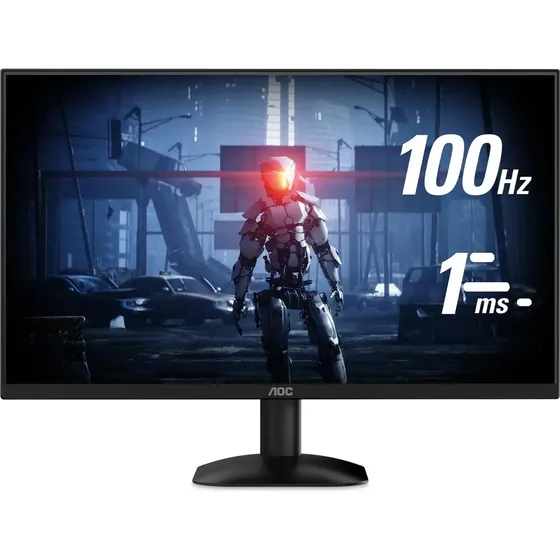
Technology · Mercado Libre
An option for a workspace. Compare dimensions, adjustments, and fit for your routine.
See price on Mercado LivreView product: AOC 24-inch 100 Hz monitor (Mercado Libre)Price and availability can change on Mercado Livre.