
Technology · Mercado Libre
27-inch monitor
More screen space for code, documents, and multitasking.
See price on Mercado LivreView product: 27-inch monitor (Mercado Libre)Price and availability can change on Mercado Livre.
Create random passwords with Web Crypto. Nothing is sent anywhere.
Create random passwords with Web Crypto. Nothing is sent anywhere. Simple tools do not require an account. Files are sent to a server only when the tool explains the transfer and you confirm it.
Choose one of the available lengths to create a random password for a new account or test fixture. The generator uses the browser’s cryptographic random number source and displays one result at a time.
Each result contains at least one lowercase letter, uppercase letter, digit, and symbol; the remaining characters are drawn from the combined set and shuffled. The lowercase l, uppercase I and O, and digits 0 and 1 are omitted to make manual copying easier. The page offers five lengths even though the underlying generator can accept other lengths when called directly.
A generated string is not checked against a website’s password rules, known compromised-password lists, or your other credentials. Review the destination’s requirements before relying on it, and do not reuse the result. This tool does not manage, recover, or store account passwords for you.
No. The generator uses a fixed alphabet that includes common symbols; it does not provide a custom character list or an option to exclude symbols.
Length helps, but security also depends on uniqueness, how the account stores credentials, and whether multi-factor authentication is enabled. Follow the service’s current requirements.
Some links on this page are affiliate links. We may earn a commission from a purchase at no extra cost to you.
Technology · Mercado Libre
More screen space for code, documents, and multitasking.
See price on Mercado LivreView product: 27-inch monitor (Mercado Libre)Price and availability can change on Mercado Livre.
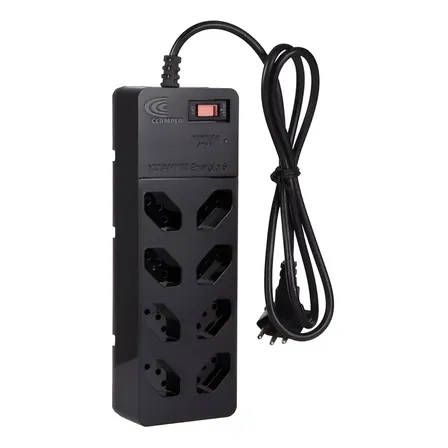
Home office · Mercado Libre
A practical way to connect devices and organize desk power.
See price on Mercado LivreView product: Surge-protected power strip (Mercado Libre)Price and availability can change on Mercado Livre.
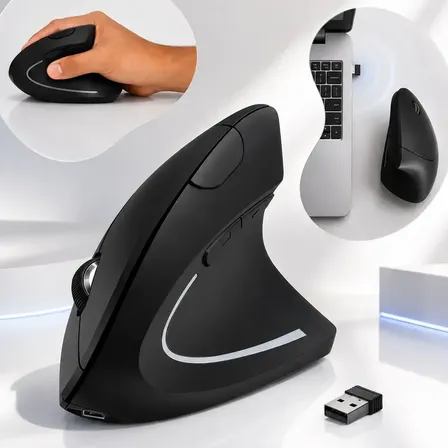
Technology · Mercado Libre
Compare size, adjustment, and fit with your hand and routine.
See price on Mercado LivreView product: Ergonomic vertical mouse (Mercado Libre)Price and availability can change on Mercado Livre.