
Technology · Mercado Libre
27-inch monitor
More screen space for code, documents, and multitasking.
See price on Mercado LivreView product: 27-inch monitor (Mercado Libre)Price and availability can change on Mercado Livre.
Generate SHA-256, SHA-384, and SHA-512 hashes locally in your browser.
Generate SHA-256, SHA-384, and SHA-512 hashes locally in your browser. Simple tools do not require an account. Files are sent to a server only when the tool explains the transfer and you confirm it.
Choose SHA-256, SHA-384, or SHA-512 and calculate a hexadecimal digest of the text entered. The same text and algorithm produce the same digest.
The input is encoded as UTF-8 and passed to the browser’s SubtleCrypto digest operation. The output is a lowercase hexadecimal string: 64 characters for SHA-256, 96 for SHA-384, or 128 for SHA-512. A changed character, whitespace mark, or line ending produces a different digest.
A hash is not encryption: there is no decrypt operation that restores the original text. A plain SHA hash is also not an appropriate password-storage scheme; password systems should use a purpose-built, salted password-hashing function with suitable work factors. A matching digest can help compare content, but it does not identify who created it or prove that a file came from a trusted source unless the expected digest itself is trusted.
No. A digest is a one-way result; the tool does not decrypt it or retrieve the input.
No. A fast general-purpose SHA digest lacks the protections expected from password-hashing algorithms such as Argon2id, scrypt, or bcrypt.
Some links on this page are affiliate links. We may earn a commission from a purchase at no extra cost to you.
Technology · Mercado Libre
More screen space for code, documents, and multitasking.
See price on Mercado LivreView product: 27-inch monitor (Mercado Libre)Price and availability can change on Mercado Livre.
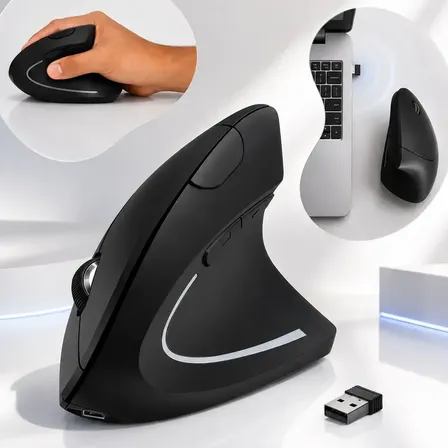
Technology · Mercado Libre
Compare size, adjustment, and fit with your hand and routine.
See price on Mercado LivreView product: Ergonomic vertical mouse (Mercado Libre)Price and availability can change on Mercado Livre.
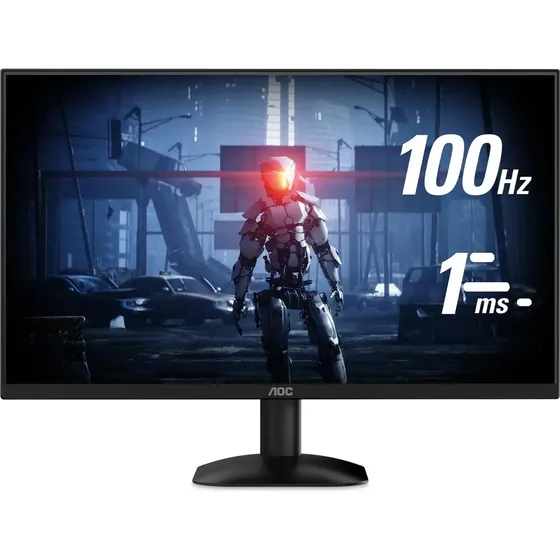
Technology · Mercado Libre
An option for a workspace. Compare dimensions, adjustments, and fit for your routine.
See price on Mercado LivreView product: AOC 24-inch 100 Hz monitor (Mercado Libre)Price and availability can change on Mercado Livre.