
Technology · Mercado Libre
27-inch monitor
More screen space for code, documents, and multitasking.
See price on Mercado LivreView product: 27-inch monitor (Mercado Libre)Price and availability can change on Mercado Livre.
Encode or decode text for use in URL components.
Encode or decode text for use in URL components. Simple tools do not require an account. Files are sent to a server only when the tool explains the transfer and you confirm it.
Encode a text component for use in a URL or decode percent escapes to inspect the original text.
Encoding follows URI component rules: for example, a space becomes %20. This is useful for a parameter value such as “blue product”, but it is not the right way to escape an entire URL with its protocol, slashes, and separators.
Invalid percent escapes cause a decoding error. When you already have a complete URL, encode only the part that needs it; use the UTM builder to add query parameters while preserving the URL structure.
No. It represents special characters; it does not encrypt or hide the content.
Some links on this page are affiliate links. We may earn a commission from a purchase at no extra cost to you.
Technology · Mercado Libre
More screen space for code, documents, and multitasking.
See price on Mercado LivreView product: 27-inch monitor (Mercado Libre)Price and availability can change on Mercado Livre.
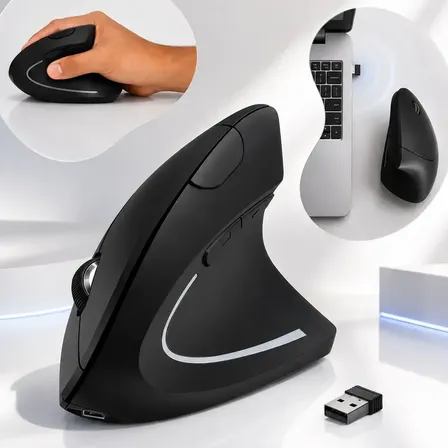
Technology · Mercado Libre
Compare size, adjustment, and fit with your hand and routine.
See price on Mercado LivreView product: Ergonomic vertical mouse (Mercado Libre)Price and availability can change on Mercado Livre.
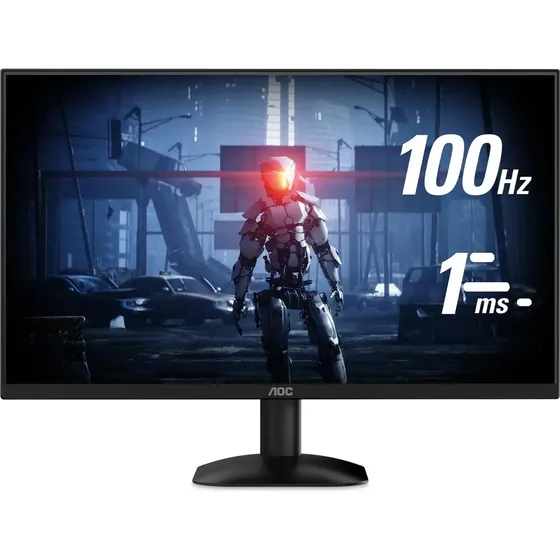
Technology · Mercado Libre
An option for a workspace. Compare dimensions, adjustments, and fit for your routine.
See price on Mercado LivreView product: AOC 24-inch 100 Hz monitor (Mercado Libre)Price and availability can change on Mercado Livre.