
Technology · Mercado Libre
27-inch monitor
More screen space for code, documents, and multitasking.
See price on Mercado LivreView product: 27-inch monitor (Mercado Libre)Price and availability can change on Mercado Livre.
Convert Unix timestamps to local time and UTC.
Convert Unix timestamps to local time and UTC. Simple tools do not require an account. Files are sent to a server only when the tool explains the transfer and you confirm it.
Enter a numeric Unix timestamp to see its date and time in the device’s local time zone and in UTC.
Values with an absolute magnitude below 100 billion are interpreted as seconds; larger values are interpreted as milliseconds since 1970-01-01 UTC. This covers common API formats, but the unit is inferred from the number’s size.
Values near the threshold can be ambiguous, and “local” depends on the device’s configured time zone. Compare both outputs and confirm whether the source system uses seconds or milliseconds before diagnosing a timestamp.
No. The tool shows UTC and the device’s local zone; it does not apply a selected city’s rules.
Some links on this page are affiliate links. We may earn a commission from a purchase at no extra cost to you.
Technology · Mercado Libre
More screen space for code, documents, and multitasking.
See price on Mercado LivreView product: 27-inch monitor (Mercado Libre)Price and availability can change on Mercado Livre.
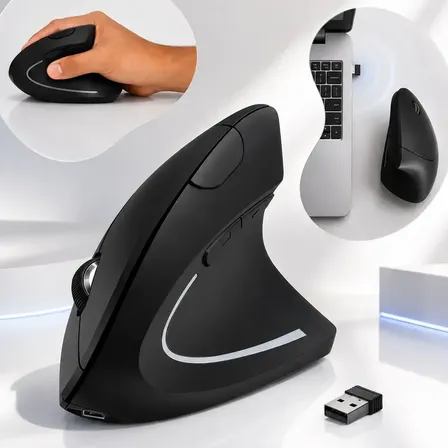
Technology · Mercado Libre
Compare size, adjustment, and fit with your hand and routine.
See price on Mercado LivreView product: Ergonomic vertical mouse (Mercado Libre)Price and availability can change on Mercado Livre.
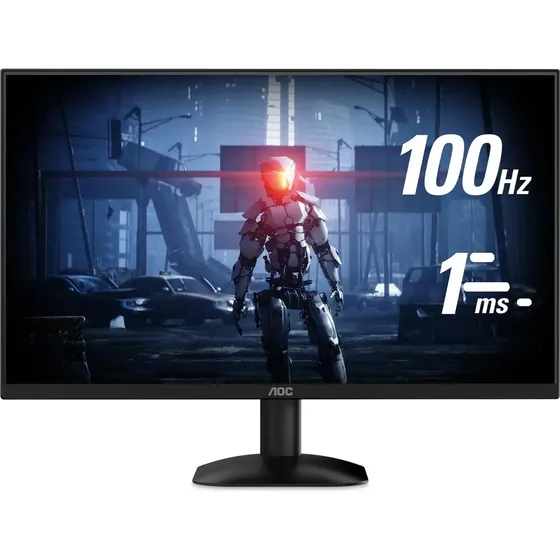
Technology · Mercado Libre
An option for a workspace. Compare dimensions, adjustments, and fit for your routine.
See price on Mercado LivreView product: AOC 24-inch 100 Hz monitor (Mercado Libre)Price and availability can change on Mercado Livre.