
Technology · Mercado Libre
27-inch monitor
More screen space for code, documents, and multitasking.
See price on Mercado LivreView product: 27-inch monitor (Mercado Libre)Price and availability can change on Mercado Livre.
Structure clear instructions with a role, context, task, criteria, and response format.
Structure clear instructions with a role, context, task, criteria, and response format. Simple tools do not require an account. Files are sent to a server only when the tool explains the transfer and you confirm it.
Draft a task in separate fields for role, context, task, criteria, and response format. The tool combines the non-empty sections into a prompt you can review and copy into an AI product.
The output preserves a fixed section order and labels each non-empty section. The task field is required; the other fields can be left empty. A useful prompt states the goal, provides only relevant background, defines what a good answer should include, and makes important limits explicit.
This is a text formatter, not an AI assistant: it does not send a request, select a model, check the result, or guarantee that a model will follow the instructions. Remove confidential details before pasting the result into another service, and verify important output against suitable sources.
No. It combines the text you enter into a structured prompt; you decide whether and where to use that text.
No. The task is required. Role, context, constraints, and format are included only when they contain text.
Some links on this page are affiliate links. We may earn a commission from a purchase at no extra cost to you.
Technology · Mercado Libre
More screen space for code, documents, and multitasking.
See price on Mercado LivreView product: 27-inch monitor (Mercado Libre)Price and availability can change on Mercado Livre.
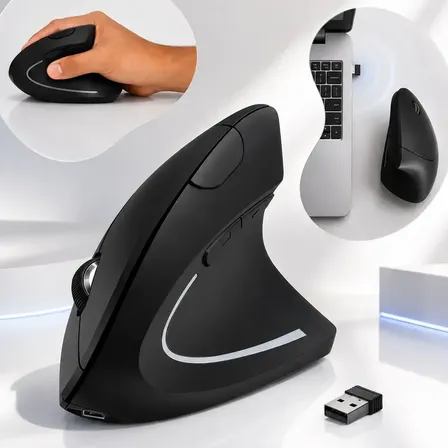
Technology · Mercado Libre
Compare size, adjustment, and fit with your hand and routine.
See price on Mercado LivreView product: Ergonomic vertical mouse (Mercado Libre)Price and availability can change on Mercado Livre.
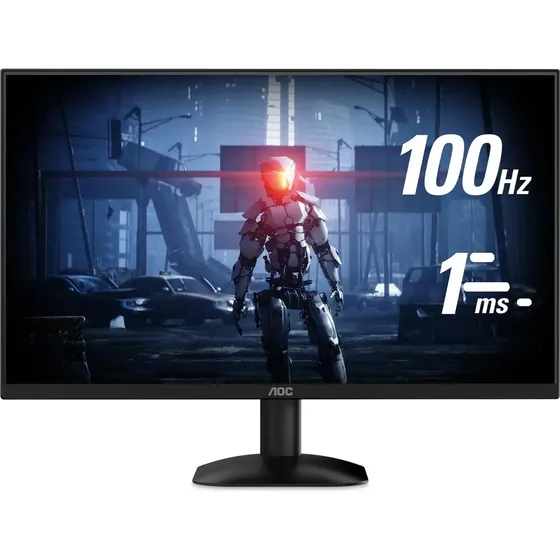
Technology · Mercado Libre
An option for a workspace. Compare dimensions, adjustments, and fit for your routine.
See price on Mercado LivreView product: AOC 24-inch 100 Hz monitor (Mercado Libre)Price and availability can change on Mercado Livre.