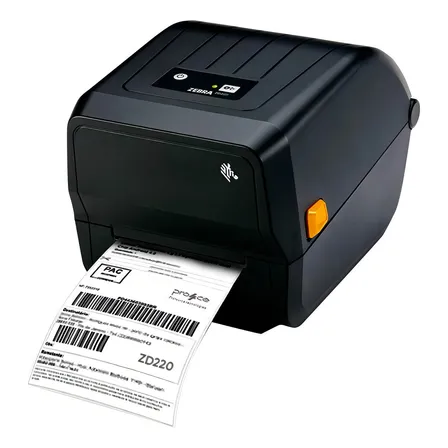
Printing · Mercado Libre
Thermal label printer
For printing labels for inventory, shipping, and identification.
See price on Mercado LivreView product: Thermal label printer (Mercado Libre)Price and availability can change on Mercado Livre.
Create QR codes in your brand colors with an optional logo, then download the image from your browser.
Create QR codes in your brand colors with an optional logo, then download the image from your browser. Simple tools do not require an account. Files are sent to a server only when the tool explains the transfer and you confirm it.
Create a static QR code from text or a URL, customize its colors, and add an optional company logo. The destination is encoded in the image; the tool does not provide tracking or a changeable redirect.
The code has no built-in expiry, but its target website may move, expire or require authentication. Test the exact link before distributing the image.
Keep a clear border on all four sides and strong dark-on-light contrast. A logo can reduce scan reliability, so keep it small and avoid unnecessary tracking parameters that make the code denser.
Test with more than one phone at the final printed size and viewing distance. A screen test does not prove that glossy packaging, folds or a small label will scan. Changing a destination requires a new code unless you control a stable redirect URL.
Only if the encoded URL points to a redirect you control. Otherwise, create and distribute a new code.
Some links on this page are affiliate links. We may earn a commission from a purchase at no extra cost to you.
Printing · Mercado Libre
For printing labels for inventory, shipping, and identification.
See price on Mercado LivreView product: Thermal label printer (Mercado Libre)Price and availability can change on Mercado Livre.