Kitchen · Mercado Libre
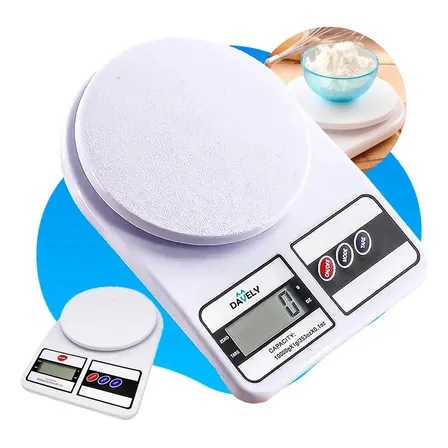
Digital kitchen scale
Helps measure ingredients more consistently than volume conversions.
See price on Mercado LivreView product: Digital kitchen scale (Mercado Libre)Price and availability can change on Mercado Livre.
Convert length, mass, temperature, and data units quickly.
Convert length, mass, temperature, and data units quickly. Simple tools do not require an account. Files are sent to a server only when the tool explains the transfer and you confirm it.
Select a measurement group, enter a value, and choose compatible source and destination units. The converter handles common metric and imperial units, temperature scales, and decimal or binary data sizes.
Available length units are metres, kilometres, centimetres, millimetres, miles, yards, feet, and inches. Mass covers kilograms, grams, milligrams, pounds, and ounces. Temperature supports Celsius, Fahrenheit, and Kelvin. Data units include B, KB, MB, GB and the binary KiB, MiB, and GiB; KB-based units use powers of 1,000 while KiB-based units use powers of 1,024.
The tool converts only within the selected group. Temperature conversion uses scale offsets as well as ratios; the other groups use unit factors. The displayed result is rounded to 12 significant digits, so it is suitable for ordinary conversions but may not preserve every digit needed for precision engineering or scientific work. The converter does not account for context-specific definitions or measurement uncertainty.
Mass and volume are different dimensions. A conversion requires a material density, which this general-purpose tool does not ask for.
No. KB uses a decimal factor of 1,000, while KiB uses a binary factor of 1,024. Check which convention the device or specification uses.
Some links on this page are affiliate links. We may earn a commission from a purchase at no extra cost to you.
Kitchen · Mercado Libre
Helps measure ingredients more consistently than volume conversions.
See price on Mercado LivreView product: Digital kitchen scale (Mercado Libre)Price and availability can change on Mercado Livre.
Kitchen · Mercado Libre
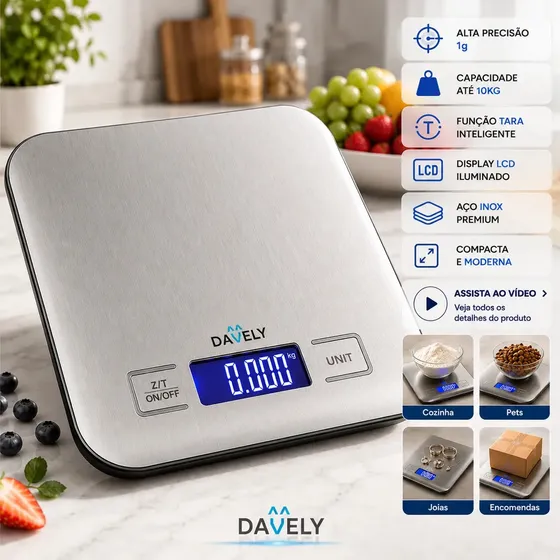
For food preparation and measuring ingredients. Check materials, dimensions, and usage instructions.
See price on Mercado LivreView product: Davely 10 kg touch digital kitchen scale (Mercado Libre)Price and availability can change on Mercado Livre.

Kitchen · Mercado Libre
For food preparation and measuring ingredients. Check materials, dimensions, and usage instructions.
See price on Mercado LivreView product: Hardline Cook 10 kg digital kitchen scale (Mercado Libre)Price and availability can change on Mercado Livre.