Technology · Mercado Libre
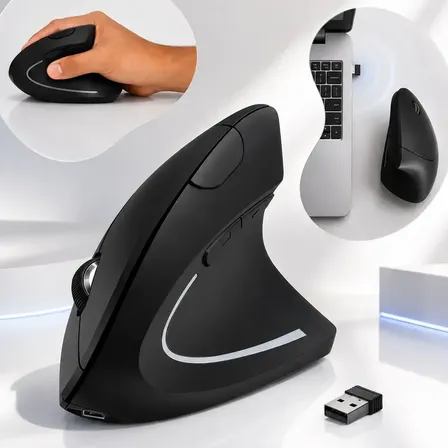
Ergonomic vertical mouse
Compare size, adjustment, and fit with your hand and routine.
See price on Mercado LivreView product: Ergonomic vertical mouse (Mercado Libre)Price and availability can change on Mercado Livre.
Count characters, words, and lines as you type.
Count characters, words, and lines as you type. Simple tools do not require an account. Files are sent to a server only when the tool explains the transfer and you confirm it.
Track characters, characters without whitespace, whitespace-separated words, and lines as you edit.
When supported by the browser, characters are counted as grapheme clusters with Intl.Segmenter; otherwise the tool counts Unicode code points. Some combined emoji can therefore count differently across browsers. LF, CRLF, and CR line breaks are recognized.
This is not a byte count or a platform-specific character limit. A social network, form, or editor may treat emoji, links, punctuation, or line breaks differently. For a strict limit, confirm the final text in its destination.
Not necessarily. Each service can apply its own rules for emoji, links, and line breaks.
Some links on this page are affiliate links. We may earn a commission from a purchase at no extra cost to you.
Technology · Mercado Libre
Compare size, adjustment, and fit with your hand and routine.
See price on Mercado LivreView product: Ergonomic vertical mouse (Mercado Libre)Price and availability can change on Mercado Livre.
Ergonomics · Mercado Libre
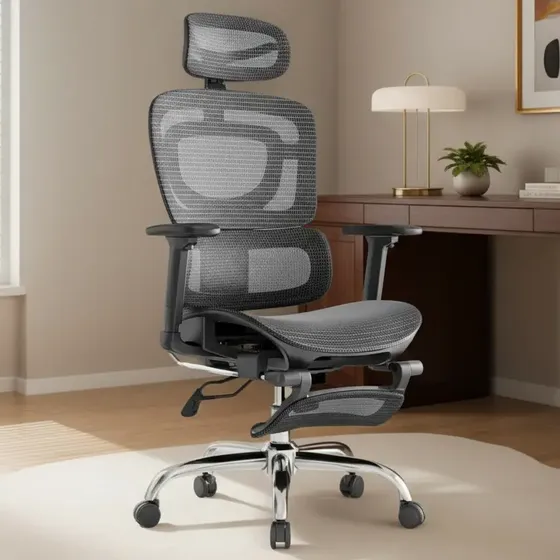
An option for a workspace. Compare dimensions, adjustments, and fit for your routine.
See price on Mercado LivreView product: Luvinco Monaco ergonomic office chair with footrest (Mercado Libre)Price and availability can change on Mercado Livre.
Ergonomics · Mercado Libre
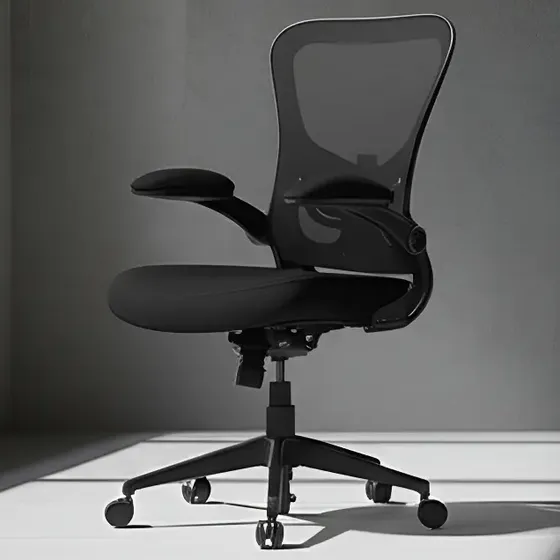
An option for a workspace. Compare dimensions, adjustments, and fit for your routine.
See price on Mercado LivreView product: DT3 Vita ergonomic office chair (Mercado Libre)Price and availability can change on Mercado Livre.